serbubet Mobile App
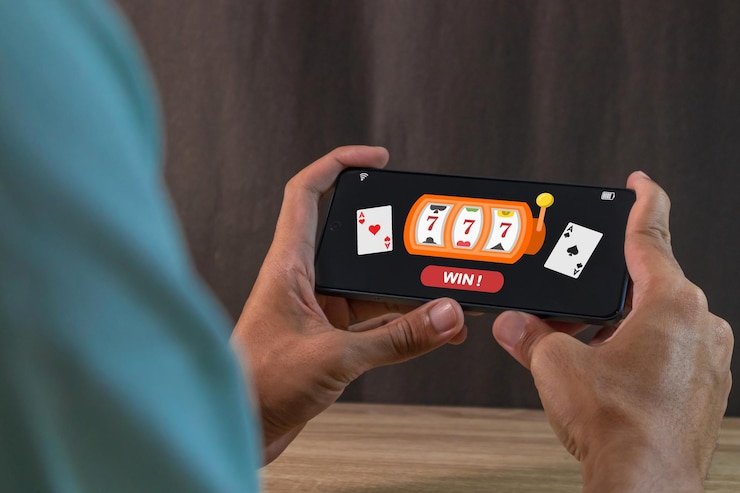
We at serbubet offer account access across Android, iOS, and desktop browsers, with mobile installation routes tailored to each device type. Our app and mobile web interface are optimised for low-data use, push notifications, and offline account management—essential features for users in Jakarta, Surabaya, Bandung, and Medan where mobile-first access is standard.
- LoginOTP Verification
- DownloadAPK
- Installin
- SHA256 Match
Installing serbubet on your phone takes minutes. Whether you choose the Android APK download, iOS Safari browser access, or our responsive web app, your account data, deposit history, and withdrawal requests remain secure and synchronised across all devices. We handle your personal information through encrypted channels and keep payment confirmations (QRIS, e-wallet, mobile banking, local payment, online payment, e-wallet, mobile banking, local payment, online payment, e-wallet) subject to standard verification windows.
This guide explains how to install serbubet on Android and iOS, what to expect during setup, and how the app compares to browser access. We also cover device compatibility, common installation questions, and account security best practices on mobile.
How to access serbubet on mobile
We provide three main pathways to use serbubet on your phone: direct Android APK installation, iOS Safari browser access with add-to-home-screen setup, and a responsive web app accessible from any modern browser. Each method carries the same account security, payment processing, and customer support. The choice depends on your device and preference.

Android APK installation
Our Android app is distributed as an APK file, which you download directly from our site. To install, your phone must allow installation from unknown sources—this is a standard Android security setting. Once enabled, the APK installs in seconds. You then open the app, log in or register, and begin using serbubet. No app-store intermediary; direct install means faster updates and no store review delays.
iOS browser and home-screen app
iOS users access serbubet through Safari. We do not maintain a native iOS app on the App Store; instead, our mobile web version is optimised for Safari and all iOS browsers. You can add a shortcut to your home screen, which creates an icon that opens serbubet fullscreen—a lightweight alternative to a native app. The experience is nearly identical to an installed app, with the benefit of always running the latest version.
Web and desktop browser
Our responsive web app works on any modern browser—Chrome, Firefox, Edge, Safari. No download or installation needed. Simply visit serbubet.id, log in, and use the platform. Desktop users benefit from larger screens for live-dealer tables and detailed market views during Liga 1 or Piala AFF matches.
Installation steps and setup on serbubet
Getting started on serbubet takes four simple steps: download the app (or open the browser), install or set it up, register or log in, and confirm your account. We'll walk through each one.
- Download: On Android, visit serbubet.id and tap the Android APK download link; on iOS, open Safari and navigate to our site; on desktop, no download needed.
- Install or set up: Android users tap the APK file and confirm installation; iOS users add a home-screen shortcut via Safari's share menu; desktop users proceed directly to login.
- Register or log in: New users complete KYC verification (identity, phone, email); existing users enter username and password.
- Start using serbubet: Once logged in, deposit via QRIS, e-wallet, mobile banking, local payment, online payment, e-wallet, or bank transfer, then access live roulette, Aviator, Liga 1 markets, and more.

App versus browser: strengths and trade-offs
Our Android app stores game assets locally, meaning faster load times and reduced data usage once downloaded. The app can send push notifications for live-market updates, game results, and withdrawal confirmations. Offline browsing of your account history is also possible. The browser version, by contrast, requires no installation and always runs the latest code—useful if you switch devices frequently or prefer minimal storage use. Both versions access the same account, payment methods, and withdrawal system.
App strengths
- Offline cache and faster loads
- Push notifications for live updates
- Home-screen icon and direct access
Browser strengths
- No download or installation required
- Always up-to-date code
- Works on any device with a browser
Device compatibility and common setup questions
We support Android 7 and above for the APK install. Older devices may experience compatibility issues; if so, we recommend using the browser version instead. iOS 12 and later work with our Safari-optimised site. All modern desktop browsers—Chrome, Firefox, Edge, Safari—are supported.
Android installation: unknown sources and certificate warnings
When you download the APK, your phone may warn that it is from an unknown source. This is a standard Android security check. To proceed, open Settings > Security and enable "Install from Unknown Sources" (exact wording varies by Android version). Once the APK is installed, you can disable this setting again. During installation, Android may also ask for app permissions such as camera, microphone, or contacts access—these are requested only if you use features like video verification or push notifications. You control each permission in Settings > Apps > serbubet > Permissions.

Account data, permissions, and security
We collect your username, email, phone number, and identity documents during registration—all handled through encrypted HTTPS connections. Deposits and withdrawals are confirmed via SMS or in-app notification. Your password is never stored in plain text; we use industry-standard hashing. When you log into serbubet on a new device, we may ask you to verify your identity via email or SMS as an anti-fraud measure. This verification window typically resolves within minutes. Your transaction history, account balance, and KYC status are encrypted and synchronised across your devices in real time.
Mobile security best practices
- Use a unique, strong password—at least 12 characters with mixed case and symbols
- Enable biometric login (fingerprint or face recognition) if your phone supports it
- Do not share your login credentials or one-time codes with anyone
- Log out after each session on shared devices
- Keep your phone's OS and security updates current
Data usage and optimisation
Our mobile app uses image lazy-loading and adaptive video quality to minimise data consumption. Live-dealer streams scale down resolution on slower connections. You can manually adjust in-app video quality in Settings if needed. A typical day of using serbubet—checking account balance, placing bets on Liga 1 or Piala AFF, playing Aviator or Sweet Bonanza—uses 20–50 MB depending on streaming time. Browser access consumes similar data; no offline content caching is available. If you are on a limited data plan, the browser version may be preferable to avoid app updates.
We at serbubet remain committed to fast, secure mobile access across Indonesia and supported regions. Whether you choose the Android app, iOS home-screen shortcut, or browser access, your account is protected with the same encryption, verification standards, and customer support. Begin with the method that suits your device, and switch anytime—your account stays the same.